


Best-selling templates
-
Habit & Wellness Tracker
Regular price €21,99Regular price -
Book & Learning Tracker
Regular price €24,99Regular price -
All-in-One Life Planner – Notion Template (50+ Templates)
Regular price €5,99Regular price -
Notion Travel Planner & Organizer Template
Regular price €6,99Regular price



About Our Products

Why these templates work
- Real workflows: Built from actual freelance and student setups
- No tech stress: Duplicate in minutes, no coding
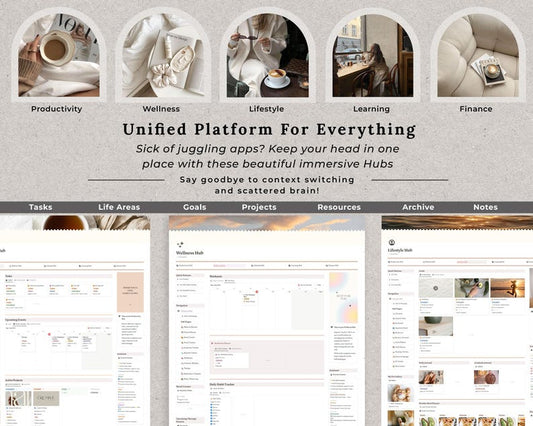
- One clean system: Replace scattered docs with one dashboard (see the generated image above).

How it works (3 steps)
- Step 1: Choose your template
- Step 2: Checkout and get instant access
- Step 3: Duplicate into your Notion and customize.

Instant access. Lifetime updates.
- Digital product only, instant download
- Free updates if templates are improved. (see the generated image above)
Frequently Asked Questions (FAQ)
What exactly is a Notion Template?
Think of it as a pre-built workspace that you can add to your own Notion account with just one click. It saves you dozens of hours of building, so you can start organizing your life or business immediately.
What is a "Second Brain"?
A Second Brain is a digital system designed to store your notes, projects, and ideas in one central hub. It follows the PARA method (Projects, Areas, Resources, Archives) to help you clear your mind and focus on getting things done rather than trying to remember everything.
Do I need a paid Notion account to use this?
No! All our templates are designed to work perfectly with the Free version of Notion. You won't have to pay any extra monthly fees to Notion to use our systems.
How do I receive the template after purchase?
Immediately after your payment is confirmed, you will receive an email containing a link to the template and a PDF guide. You can duplicate it into your workspace in seconds and start using it right away.
Can I customize the template?
Absolutely. Once you duplicate the template into your workspace, it’s 100% yours. You can change colors, add new databases, rename sections, and adapt it to your specific workflow.
Is there a guide on how to use it?
Yes! We include a step-by-step onboarding guide or video tutorials with our premium templates to ensure you get the most out of your new digital system, even if you’re a total Notion beginner.
Can I use it on my phone or tablet?
Yes. All our templates are optimized for mobile, tablet, and desktop. Your data will sync automatically across all your devices so you can stay productive on the go.
What is your refund policy?
Due to the digital nature of the products, we generally do not offer refunds once the template has been accessed. However, if you have any issues or found a duplicate order, please contact our support, and we’ll make it right!